
Product-in-use and listing information
Inspect the printer and room references behind the product-in-use scene, then review the compatibility composition with its source list, packaging photograph and cartridge photograph.
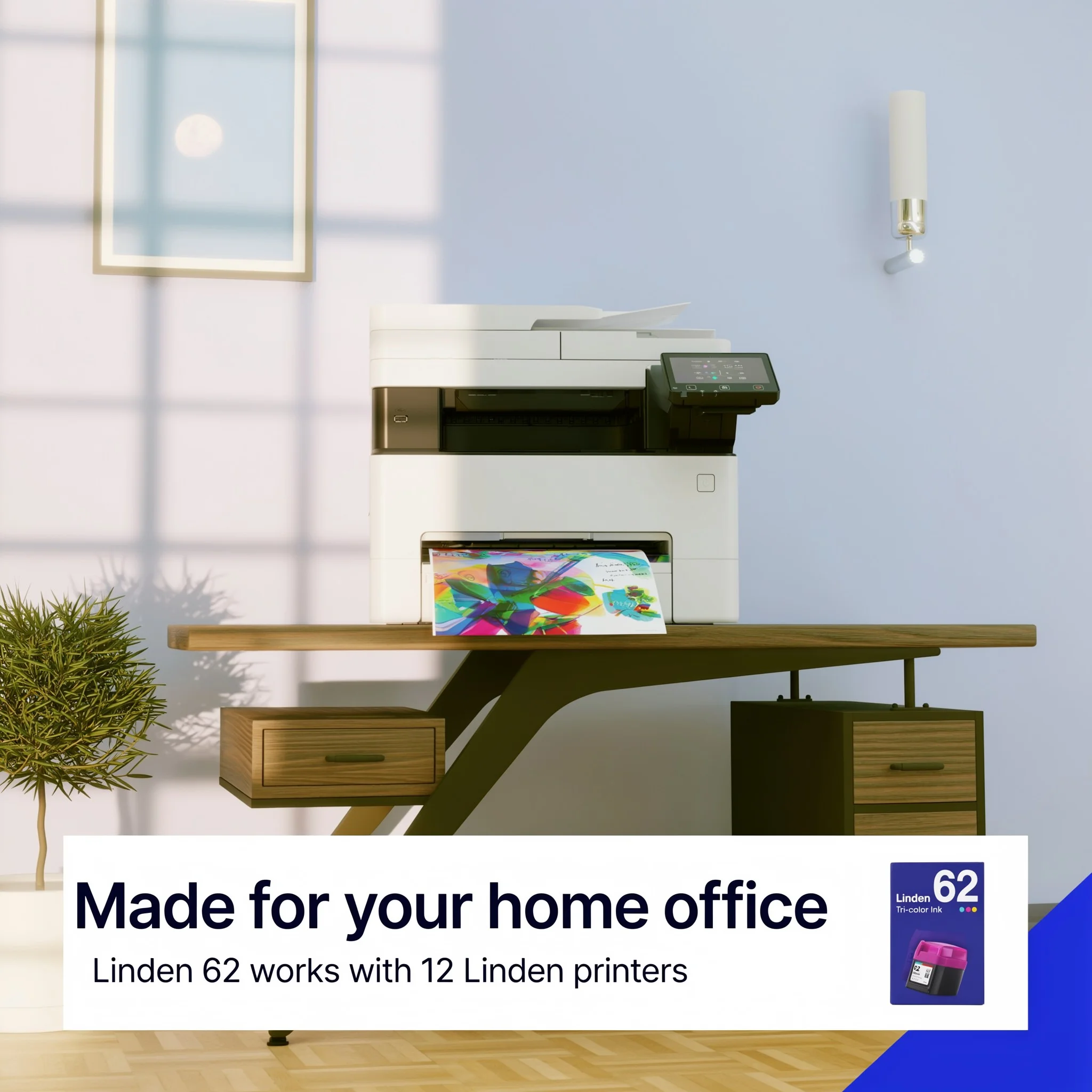
Product in context
Build a product-in-use scene from two references.
A printer photograph defines the hardware; a room photograph guides light and environment. Ideogram places the printer on the desk with a page in the output tray, then sets the listing headline and the ink box in the same composition. A targeted edit first removed the small markings on the printer front.
Starting photographs
Source · Product photograph
Reference · Room and light
Listing information
Turn three references into a useful compatibility graphic.
A supplied printer list, the packaging photograph and the cartridge photograph guide one listing composition. The selected take was checked line by line against the source list. The reference panel shows exactly which information and product artwork entered the workflow.
Starting information and product references
Reference · Compatibility list
Source · Packaging photograph
Reference · Cartridge photograph
Keep exploring
Continue with another Office Supplies study.
It holds every reference, comparison and interactive example.
Let's shape what comes next
Make the next product story clear.
Talk with our team about office supply listings, product artwork and editable campaign workflows.